Read a report with a browser agent
Run a real agent through an approved browser plan, sandboxed Chromium and a scoped execution pool. Start without a login, then add a managed fixture credential and extract typed report fields.
Before you start#
Browser automation is a preview capability and is not enabled in the standard Digital Worker setup. A deployment administrator must provide an approved browser execution pool for your tenant and application before an agent can run a browser plan. Without one, the agent reports BROWSER_GOVERNED_RUNNER_UNAVAILABLE; changing the prompt will not enable it.
Each run follows a reviewed, host-authored browser plan that names the approved origin, the steps and the fields to extract. An approval covers one execution of that plan. The host consumes the approval before it starts a sandboxed guest and refuses a replay, so treat every new attempt as a new approval.
When the agent has a configured model, it calls the browser tool and summarizes the result. Without a model, the approved plan still runs through the same path, with no model cost. Model and website credentials never appear in the plan, the result or the agent's context.
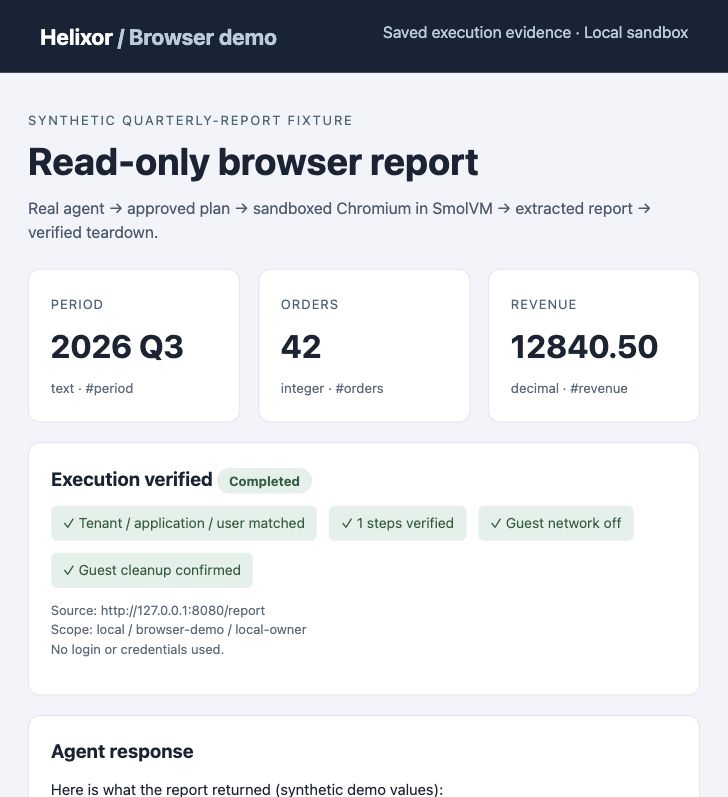
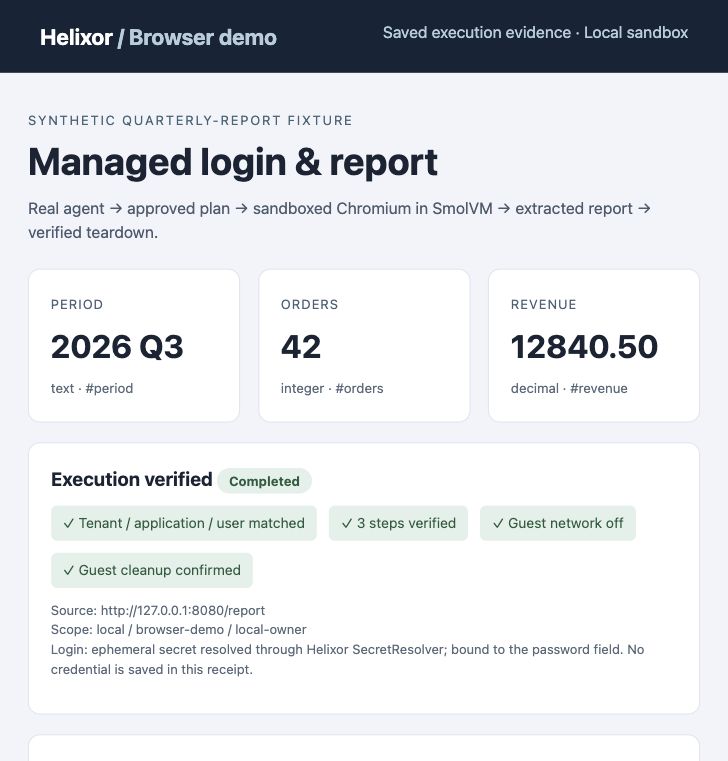
The screenshots on this page come from verified runs against a synthetic report site. They show saved run receipts, not the console itself.
Verify the read-only result#
The fixture page runs inside the guest, so external networking stays off. Chromium verifies the final page and extracts the declared fields. The tool returns only after browser and guest teardown have been confirmed.
Add managed login#
A login plan adds one bound credential step. The credential stays in the deployment's secret provider; in the verified example, the host generated a fixture password for the synthetic site. After admission, SecretResolver resolves it and the pool delivers it through its secret channel. The browser may fill only the approved password field on the approved origin; it then submits the POST login and verifies the report page.
The password never enters the plan, command line or agent context. The guest clears it from the environment before Chromium starts. The browser cookie and guest disappear at teardown. Do not use real website credentials in this example.
Declare the fields you want#
The host-authored browser plan controls extraction. This is a browser-plan fragment, not a new top-level agent.yaml setting:
extract:
  - name: period
    selector: '#period'
    kind: text
  - name: orders
    selector: '#orders'
    kind: integer
  - name: revenue
    selector: '#revenue'
    kind: decimal
Each returned value includes its field name, type, selector and source URL. Numeric values remain strings to preserve decimal precision. A page observation is evidence of what the page said, not independent verification of the figures. No currency is assumed for the sample revenue.
Up to eight fields are supported, each at most 256 characters. The complete guest report is limited to 16 KiB. A missing, ambiguous, hidden or invalid field fails the run. Forms, input values and resolved-secret echoes cannot be extracted. Results are not automatically published to Blackboard or an artifact store.
Each run keeps its approved plan and its result. The saved receipt shown above contains the steps, the extracted values, the cleanup confirmation and the agent's answer when a model was configured.
External websites and managed providers#
An administrator can admit external websites through an existing Linux execution pool. Admission requires HTTPS origins, a reviewed list of public IPv4 addresses, a scoped pool token over TLS, and an approved browser plan. The pool enforces the exact address list outside the guest. macOS hosts cannot enforce this restricted network mode and refuse it. The configuration contains secret references only; values stay in the existing secret channel.
Review the exact origins, addresses, secret resources, scope and actions before approval. Each invocation permits one attempt. A failed or uncertain login must be inspected before another attempt. CDN/address changes require new admission; access is never broadened automatically.
Login against the synthetic site is verified. Multi-hop redirect tests confirm that unapproved destinations receive no request, including redirects that preserve credential POST bodies. Live external-site login with a managed cloud provider and Linux network enforcement still requires deployment acceptance. The screenshots above show the synthetic site, not an external website.
Know the boundary#
The verified example uses a synthetic site inside the guest, a personal scope and an ephemeral secret provider. External egress, cloud-secret permissions, durable team approval and revocation, shared-console registration and authorized artifact publication remain deployment work. MFA, SSO, CAPTCHA, downloads and resumable browser sessions are not supported.
If you see BROWSER_EXECUTION_OUTCOME_UNKNOWN, the browser may already have acted: do not retry automatically. For BROWSER_CLEANUP_UNCONFIRMED, ask the operator to inspect the pool before trying again. See the browser diagnostics.